

 ChatGPT
  Gemini
  Claude
  Perplexity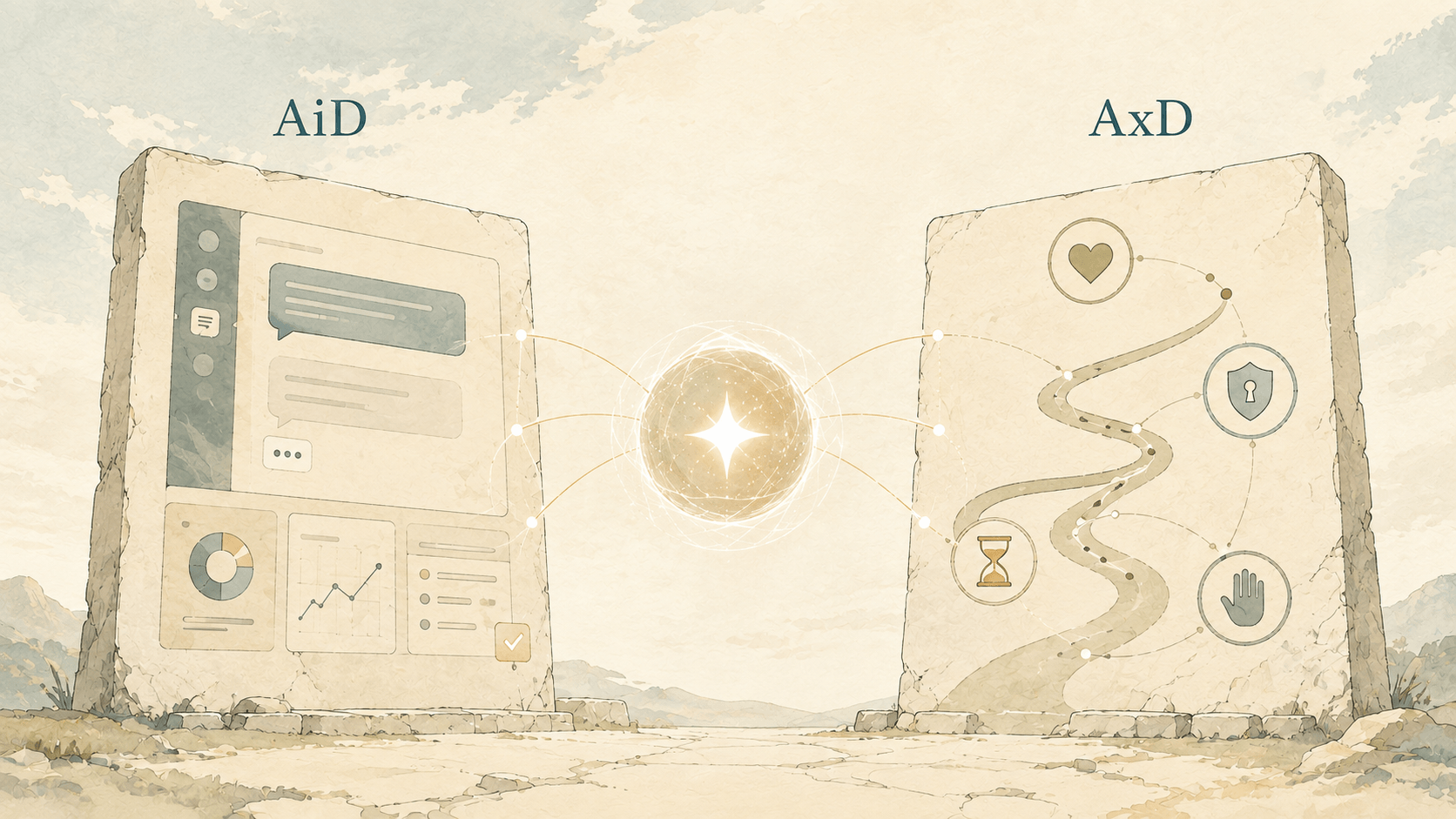
We may be asking the wrong question about AI and design.
The question is not whether AI will reduce the need for designers. A more useful question is: what will designers need to design when AI becomes an active participant in the product?
For most of the history of digital products, the basic model was familiar. A person opened an application, read the interface, chose an action, and moved through a flow. The product responded to that direct input.
That model is changing.
AI can interpret a goal, decide which action to take, use several tools, and produce an outcome with less direct input from the user. The person may still be responsible for the outcome, but they are no longer the only actor in the system.
This creates a design space beyond screens and user flows.
In this article, I use the terms AI Interface Design (AiD) and AI Experience Design (AxD) to distinguish two connected layers of designing AI-enabled products.
The short version is:
AiD designs the interaction. AxD designs the relationship.
These are not replacements for UX, product design, service design, or interaction design. They are lenses that help us describe the additional work required when intelligence can interpret, recommend, generate, and act.
The old product model: a person navigating a system
Traditional product design often assumes a fairly stable relationship:
- The user has an intention.
- The interface exposes available options.
- The user chooses an action.
- The system performs that action.
- The user evaluates the result.
This model is still useful. Forms, settings pages, dashboards, menus, and many other interfaces will remain important.
However, AI introduces more possible paths between intention and outcome. A user might write a goal in natural language instead of selecting a sequence of controls. An AI might infer missing information, retrieve data, call an external service, or propose several next steps. It may also misunderstand the request, make a poor assumption, or take an action that cannot easily be reversed.
The design problem is no longer only, “Which controls should appear on this screen?”
It also becomes:
- What does the system think the user means?
- Which actions can the AI take by itself?
- What information does it use to make a decision?
- When should it pause and ask for confirmation?
- How can the user inspect, correct, or undo its work?
- Who is accountable when the result is wrong?
These questions are product questions, not merely visual questions.
What is AI Interface Design (AiD)?
AI Interface Design is the design of the touchpoints through which people understand, direct, review, and correct AI behaviour.
The interface may be a chat window, a voice interaction, a set of suggested actions, an autonomous workflow, a notification, a table with generated content, or a traditional screen containing an AI capability.
AiD focuses on the moment-to-moment interaction between a person and an AI-enabled system.
An AiD practitioner needs to design more than input and output. They need to design the system’s visible state and its boundaries:
- Intent: How does a person express a goal, and how does the system show its interpretation?
- Capability: What can the AI do, and what is outside its scope?
- Context: Which files, records, preferences, rules, or previous actions shape the result?
- Progress: How does the product communicate that the AI is thinking, searching, waiting, or acting?
- Uncertainty: How should confidence, ambiguity, and missing information be represented?
- Review: Can the user inspect the proposed result before it becomes an external action?
- Correction: Can the user edit the input, redirect the AI, or recover from a mistake?
For example, a “Generate report” button is not a complete AI interface. The design also needs to answer what data the report contains, which period it covers, whether the user can change the assumptions, how generated claims are identified, and what happens when the source data is incomplete.
AiD is therefore not just interface design for a chatbot. It is the design of understandable and controllable interaction with a probabilistic system.
What is AI Experience Design (AxD)?
AI Experience Design is the design of the wider relationship among people, AI, and products across time, tasks, and channels.
AxD works at a broader level than a single interaction. It asks how intelligence changes the user’s journey, the product’s behaviour, the team’s responsibilities, and the organisation’s operating model.
AxD includes questions such as:
- What role does the AI play: assistant, advisor, delegate, collaborator, or operator?
- How much authority does it have in different situations?
- What permissions are temporary, persistent, or inherited?
- How does the user know what the AI has done in the past?
- How do people hand work back and forth between AI and human colleagues?
- What happens when the user changes their mind or revokes access?
- How are decisions documented for later review?
- How does the experience remain coherent across web, mobile, email, voice, and external tools?
AxD is concerned with the relationship and the consequences of that relationship. It includes the emotional experience of trust, but it cannot stop at tone or personality. Trust must be supported by clear authority, observable behaviour, reliable recovery, and meaningful human control.
AiD and AxD are connected, but not identical
The distinction can be illustrated with a calendar assistant.
AiD asks:
- How does the assistant interpret “find time with the research team next week”?
- Which times does it suggest?
- How does it show conflicts and assumptions?
- How does the user approve an invitation before it is sent?
- How can the user correct the attendee list?
AxD asks:
- Is the assistant allowed to contact people without approval?
- Does that permission change for internal and external attendees?
- How does the assistant behave after a cancelled meeting?
- Can the user see a history of actions and revoke access?
- How does the same assistant behave across calendar, email, and project-management tools?
The first group describes the interaction. The second describes the ongoing relationship, authority, and system-level experience.
| Design question | Primary lens |
|---|---|
| How does the user review a generated answer? | AiD |
| How does the AI communicate uncertainty? | AiD |
| What can the AI do without asking? | AxD |
| How are permissions granted and revoked? | AxD |
| How does the person recover from an incorrect action? | Both |
| How does the product preserve human responsibility? | AxD |
The boundary is intentionally not rigid. A good AI product needs both layers to work together.
The design decisions that become more important
When AI becomes an active participant, designers have to make behaviour explicit. At minimum, every AI-enabled product should define the following.
1. A role and a scope
An AI should not be described only as “smart.” The product needs a clear role. Is it helping the user explore, making recommendations, preparing work for approval, or executing actions?
The role should be narrow enough that people can form an accurate mental model. “This assistant can draft a response using the current case notes” is more useful than “This assistant can help with anything.”
2. A model of authority
Autonomy is not a single setting. It is a set of permissions that may depend on the action, the user, the data, the risk, and the context.
Drafting a message, sending a message, changing a database record, and approving a financial transaction should not all require the same level of freedom.
Designers can help teams define an authority ladder:
- Suggest an option.
- Prepare an action for review.
- Ask for confirmation.
- Execute within a defined boundary.
- Execute and report the result.
The right level depends on the consequences of being wrong.
3. A confirmation strategy
Confirmation should not be a generic “Are you sure?” message added at the end. It should appear when the user needs to understand a consequential action before it happens.
An effective confirmation explains what will happen, which information will be used, who will be affected, and whether the action can be undone. It should make the decision easier, not merely transfer responsibility to the user through a warning dialog.
4. A language for uncertainty
AI systems can be wrong in ways that look convincing. A product should communicate uncertainty in a way that matches the decision at hand.
That might mean showing source material, marking an item as requiring review, asking a clarifying question, presenting multiple interpretations, or declining to act. A percentage that appears precise but has no practical meaning is not enough.
5. A recovery model
Every AI experience needs a plan for mistakes. Users should be able to pause an action, inspect what changed, undo it where possible, and understand what cannot be reversed.
Recovery is especially important when AI works across tools. If an assistant creates a task, sends an email, and changes a record, the user needs a coherent activity history rather than three disconnected system states.
6. A responsibility model
Human oversight is not meaningful if nobody knows who owns the outcome. Product teams should define who reviews AI output, who can override it, who investigates failures, and how those decisions are recorded.
In high-stakes domains such as healthcare, finance, employment, and public services, this is part of the experience—not an operational detail hidden from the user.
What this means for design systems
Design systems have traditionally documented components, tokens, states, and interaction patterns. AI-enabled products need an additional behavioural layer.
An AI-ready design system should describe patterns for:
- stating what the AI can and cannot do;
- showing generated versus user-authored content;
- displaying sources, assumptions, and evidence;
- communicating progress and partial completion;
- requesting clarification;
- asking for confirmation at the right level of risk;
- handling refusal, failure, and escalation;
- showing activity history and permission state;
- supporting correction, undo, and human handoff.
These patterns should be connected to content guidance, accessibility requirements, domain rules, and engineering contracts. A component that says “Done” is not sufficient if the AI actually completed only three of five requested steps.
The design system may also need to describe states that are not visible in a static mock-up: waiting for a tool, missing context, permission denied, result under review, action partially completed, or action reversed.
This is one reason design and engineering collaboration becomes more important in AI products. The interface is expressing a behaviour that must be implemented consistently, observable in production, and tested against failure—not only a visual arrangement of elements.
A practical review checklist
Before shipping an AI-enabled feature, ask:
- Can a first-time user explain what the AI is allowed to do?
- Does the interface show how the AI interpreted the request?
- Are important assumptions visible and editable?
- Does the user know when the AI is generating, searching, or acting?
- Are uncertainty and missing information communicated honestly?
- Are high-impact actions reviewable before execution?
- Can the user pause, correct, undo, or escalate?
- Is there a useful record of what the AI did?
- Are permissions understandable and revocable?
- Does the experience preserve human responsibility rather than obscure it?
If the answer to these questions is unclear, the product may have an AI feature, but it does not yet have a well-designed AI experience.
Why design becomes more important
AI does not remove the need for thoughtful design. It introduces more behaviour, more ambiguity, more possible paths, and more responsibility.
The designer’s work expands from arranging screens to shaping a relationship between people, products, and intelligent systems. That relationship needs structure, language, boundaries, feedback, recovery, and care.
This is why I use AI Interface Design (AiD) and AI Experience Design (AxD) as two connected layers:
- AiD helps people understand and direct AI in the moment.
- AxD helps people live and work with AI across time.
The future of product design will not be screenless by default, nor will it be fully autonomous by default. It will be a negotiation between human intention, product capability, and machine action.
Designers have an important role in making that negotiation clear, useful, and worthy of trust.
Further reading
The terms used here are not presented as newly invented labels. “AI Experience Design” is already used in academic and professional contexts. This article proposes a practical distinction between the two layers and a vocabulary for discussing the design work that follows.